Getting Started in Brick a House
Learn the cash loop, place your first walls, and unlock upgrades without wasting early earnings.
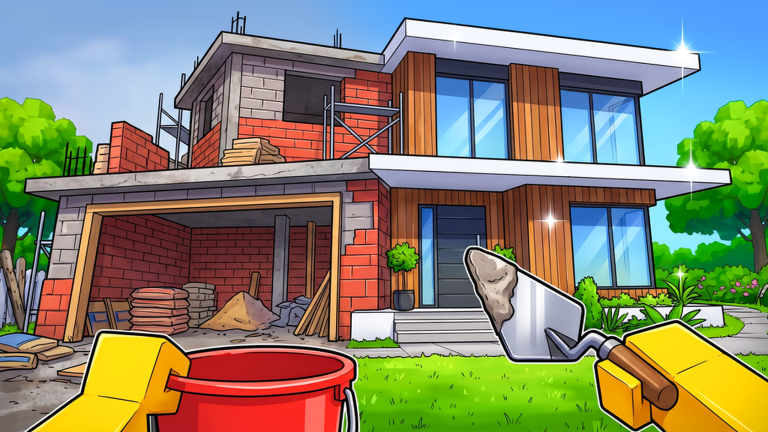
Brick a House by Nicow Community is a Roblox building incremental where you grab bricks from a pile, carry them to glowing placement spots, earn cash, and reinvest into better tools, bags, movement, and luck. You can play solo or with friends, hire a Builder bot helper, chase rare Gold, Diamond, and Rainbow bricks, and hatch pets with gems as chapters grow from a starter house into mansion and pool-villa layouts. This getting started guide covers your first session end to end so you leave the tutorial loop with a clear upgrade plan and a finished Chapter 1 foundation.
Released on October 26, 2026, the game rewards short, focused trips between the brick pile and marked build nodes. Every successful placement pays cash. That cash funds the shop upgrades that make the next trip faster. If you understand that loop in the first ten minutes, the rest of the wiki — from how to build fast to the upgrade priority list — slots into place naturally.
Join and read the HUD
Open Brick a House from the Roblox experience page, then spend thirty seconds scanning the on-screen HUD before you sprint. Look for cash, carry capacity, current objective text, and buttons that open upgrades, shop, pets, or settings. Exact keybinds can differ by device and patch, so treat labeled HUD buttons as the source of truth instead of memorizing guessed hotkeys. Our controls guide explains placement, menus, and platform tips without inventing bind lists.
Stand near the brick pile until you can pick up a brick, then turn toward any glowing marker on the house footprint. Markers show where the next piece belongs. Walk into range, place the brick, watch cash tick up, and repeat. Early markers usually outline floors and lower walls so you learn the carry path before roofs and furniture stages appear.
The first-hour cash loop
Treat the first hour as three phases: learn the path, stretch capacity, then clear Chapter 1 structure stages.
Phase one — clean routes. Run the shortest safe path from pile to marker. Avoid zigzag sightseeing. Drop bricks as soon as you are in range, then turn back immediately. Short cycles beat dramatic hauls when your bag is still tiny.
Phase two — buy the upgrades that multiply trips. Open the upgrade or shop panel from the HUD and prioritize bag capacity and tool quality before cosmetic vehicles. A larger bag means fewer return trips. Better tools usually speed pickup or placement. Movement speed helps once you are already placing efficiently. Luck can wait until the basic loop feels automatic. See the full upgrades guide for sink order and the upgrade tier list for a ranked snapshot.
Phase three — finish glowing sections in order. Chapter 1 walks you through walls, floors, roof, then furniture handoff. Completing a section unlocks the next set of markers. Do not scatter bricks across unfinished zones if the objective counter is tracking one stage. Follow the chapter flow in our Chapter 1 walkthrough.
Brick piles, glowing spots, and rare finds
Standard bricks from the pile are your bread and butter. Glowing spots are not optional decorations — they are the placement contract for the current objective. If a spot is lit, that is where cash is waiting. If nothing is glowing, check the objective text or finish the previous section.
Occasionally you will notice rarer brick types: Gold, Diamond, and Rainbow. They are uncommon rewards tied to luck and progress, not something you should derail your first house for. Pocket them when they appear, then return to the main route. Deep dive later in rare bricks. Luck upgrades matter more after Chapter 1 is stable.
First upgrades worth buying
Spend early cash in this order unless a tutorial forces a specific purchase:
- Bag / carry capacity — fewer trips, more placements per minute.
- Tool upgrades — faster grab or place actions on the critical path.
- Speed — shorter travel time once capacity is comfortable.
- Luck — better rare brick odds after the loop is smooth.
- Vehicles and flair — quality-of-life once income feels steady.
The Builder bot is a strong helper when you can afford it. Let it cover repetitive placements while you ferry bricks or split roles in co-op. Details live in how to build fast. Pets and gems are a mid-session system: farm gems, hatch, and rank companions using pets and gems plus the pets tier list.
Solo versus co-op in the first hour
Solo play is fine. You control the entire route and never wait on teammates. Co-op shines when one player camps the pile, another runs mid-path drops, and a third focuses on tricky roof or furniture markers. Agree on who spends cash so you do not double-buy the same upgrade. Voice or chat callouts for “bag full” and “markers clear” keep the house moving.
Codes, updates, and what not to chase yet
As of November 2026 there are no active promo codes for Brick a House. Check the codes hub whenever Nicow Community drops a release or milestone gift — do not waste time typing expired lists from random videos. For patch notes and chapter unlocks, skim updates after each session.
Skip endgame mansion perfectionism until Chapter 1 walls, floors, roof, and furniture are done. Chapter 2 mansion and pool villa layouts are larger and punish weak bags. Prep with Chapter 2 only after your upgrade baseline feels solid.
First-session checklist
- Join, read HUD labels, open upgrade and shop panels once.
- Complete several pile-to-glow cycles without upgrading.
- Buy bag, then tool, then a touch of speed.
- Clear Chapter 1 structural markers in objective order.
- Note any rare bricks; do not abandon the house to hunt them.
- If friends join, split pile, haul, and place roles.
- Bookmark Guides Hub, Tier List Hub, and codes for later sessions.
Finish this loop and you will understand Brick a House better than players who buy random upgrades and wander. Next, deepen efficiency with how to build fast, lock spend order in upgrades, and clear structure stages with the Chapter 1 walkthrough.
Frequently Asked Questions
Quick answers for Brick a House builders.
What should I upgrade first in Brick a House?
Buy bag or carry capacity first, then tools, then speed. Luck and vehicles can wait until your pile-to-marker loop feels automatic.
Are there working codes right now?
As of November 2026 there are no active Brick a House codes. Recheck the codes hub after updates in case Nicow Community adds redeemable rewards.
Do I need friends to finish Chapter 1?
No. Solo play completes Chapter 1 fine. Co-op mainly shortens haul time when you split pile, carry, and place roles.
What are the glowing spots for?
Glowing markers show valid placement points for the current objective. Place bricks there to earn cash and advance walls, floors, roof, or furniture stages.
When should I worry about pets and rare bricks?
After the basic cash loop and early bag upgrades. Rare bricks and gem hatching help mid-game; they should not replace finishing Chapter 1 markers.